How to Install Minecraft Shaders Easily (Complete 2026 Tutorial)
Introduction
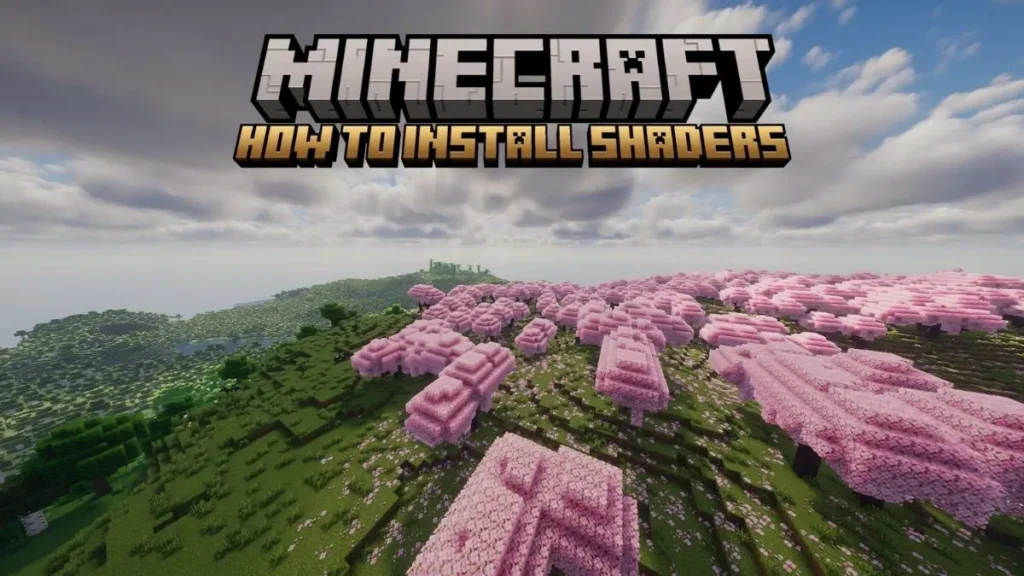
Minecraft is already an exciting game, but shaders can make it look far more realistic and beautiful. They improve lighting, shadows, water, skies, and overall visual quality. In 2026, many Minecraft players use shaders to give their worlds a modern and cinematic appearance.
If you want better graphics in Minecraft, this guide will show you the complete process of installing shaders step by step in a simple way, How to Install Minecraft Shaders.
What Are Shaders in Minecraft?
Shaders are graphic enhancement packs that change the visual effects of Minecraft. They add realistic lighting, smooth shadows, animated water, glowing sunlight, and better environmental effects.
With shaders enabled, Minecraft worlds become more detailed and immersive without changing the main gameplay mechanics.
Things You Need Before Installing Shaders
Before starting, make sure your system has the following:
Basic Requirements
- Minecraft Java Edition installed
- Internet connection
- Updated graphics drivers
- Minimum 4 GB RAM
Recommended Requirements
- Dedicated GPU
- 8 GB RAM or more
- Modern processor for better FPS
Some heavy shader packs require strong hardware, so low-end devices should use lightweight shaders.
Step-by-Step Method to Install Shaders in Minecraft
Step 1: Install Minecraft Java Edition
Shaders mainly support Minecraft Java Edition. First, install the latest version of Minecraft Java on your computer.
After installation, launch the game once to generate the required folders.
Step 2: Download OptiFine
OptiFine is necessary because it enables shader support and improves Minecraft performance.
How to Install OptiFine
- Download the correct OptiFine version for your Minecraft release.
- Open the installer file.
- Press the “Install” button.
- Wait until installation finishes.
- Open Minecraft Launcher.
- Select the OptiFine version and launch the game.
If installed correctly, OptiFine will appear on the Minecraft home screen.
Step 3: Download a Shader Pack
Next, download any shader pack you want to use in Minecraft.
Popular Minecraft Shaders in 2026
- BSL Shaders
- Complementary Reimagined
- SEUS Renewed
- Sildur’s Vibrant Shaders
- Chocapic13
Every shader offers different visual styles and performance levels.
Step 4: Open Shader Settings
Now launch Minecraft using OptiFine and follow these instructions:
- Go to “Options”
- Open “Video Settings”
- Click “Shaders”
- Select “Shaders Folder”
A folder window will open automatically on your PC.
Step 5: Add the Shader Pack
Move the downloaded shader ZIP file into the shaderpacks folder.
Do not extract the ZIP file unless required by the shader developer.
After copying the file, close the folder.
Step 6: Enable the Shader
Return to the Shaders menu inside Minecraft.
You will now see the installed shader pack in the list.
- Click on the shader name
- Wait for Minecraft to load the effects
- Press “Done”
The game will reload with improved graphics and lighting.
How to Increase FPS While Using Shaders
Shaders can sometimes reduce performance on weaker computers. You can improve FPS with these settings:
- Lower render distance
- Use Lite shader versions
- Disable motion blur
- Reduce shadow quality
- Turn off unnecessary effects
These adjustments help Minecraft run more smoothly.
Common Shader Problems and Fixes
Game Crashes After Installing Shaders
- Install the correct OptiFine version
- Update graphics drivers
- Remove incompatible shader packs
Shader Not Appearing in Minecraft
- Ensure the shader file is in the shaderpacks folder
- Keep the file in ZIP format
Low FPS or Lag
- Use lightweight shaders
- Lower video settings
- Allocate more RAM to Minecraft
Best Shaders for Low-End PCs
If your PC is not powerful, try these lightweight shaders:
- Sildur’s Enhanced Default
- Builder’s QOL Shaders
- Chocapic13 Toaster Edition
- MakeUp Ultra Fast Shaders
These shaders provide better visuals without heavy lag.
Why Minecraft Players Use Shaders
Shaders make Minecraft worlds look more realistic and enjoyable. Many players install them for:
- Better survival gameplay
- Stunning graphics
- Realistic lighting effects
- Beautiful screenshots and videos
- Enhanced building experience
They are especially popular among content creators and builders in 2026.
Fonsl words of How to Install Minecraft Shaders
Installing shaders in Minecraft is not difficult if you follow the correct steps. By using OptiFine and a compatible shader pack, you can completely improve the visual quality of your game. Whether you want realistic sunlight, smooth water, or cinematic skies, shaders can transform your Minecraft experience into something far more impressive, How to Install Minecraft Shaders.