
Minecraft Editors
Introduction to Minecraft Editor
Minecraft is not only about building and exploring—it’s also a platform where players can turn their ideas into reality. While the in-game tools are useful, they have certain limits when it comes to advanced editing.
This is where Minecraft editors become important. These tools allow players to modify their worlds more easily, speed up building, and unlock new creative possibilities.
What Is a Minecraft Editor?
A Minecraft editor is a special program or tool that lets you change different parts of the game. With these tools, you can edit your world, customize visuals, and add new features.
Some editors go even further by allowing players to design mods, create mini-games, or adjust game data such as inventory, maps, and character skins.
They can be used online or installed on your device, giving you more control over how your Minecraft world looks and works.
Main Types of Minecraft Editors
1. World Editors : World editors are used to modify terrain and large structures. They allow you to copy, paste, remove, or reshape areas of your world quickly.
These tools are especially useful for large builds where manual work would take too much time.
2. Data (NBT) Editors : NBT editors let you change the saved data of your game. This includes inventory items, player stats, and game settings.
They are helpful when you want deeper control over how your game behaves.
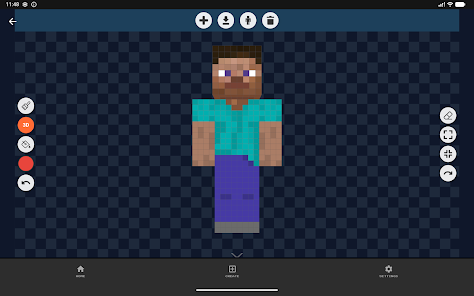
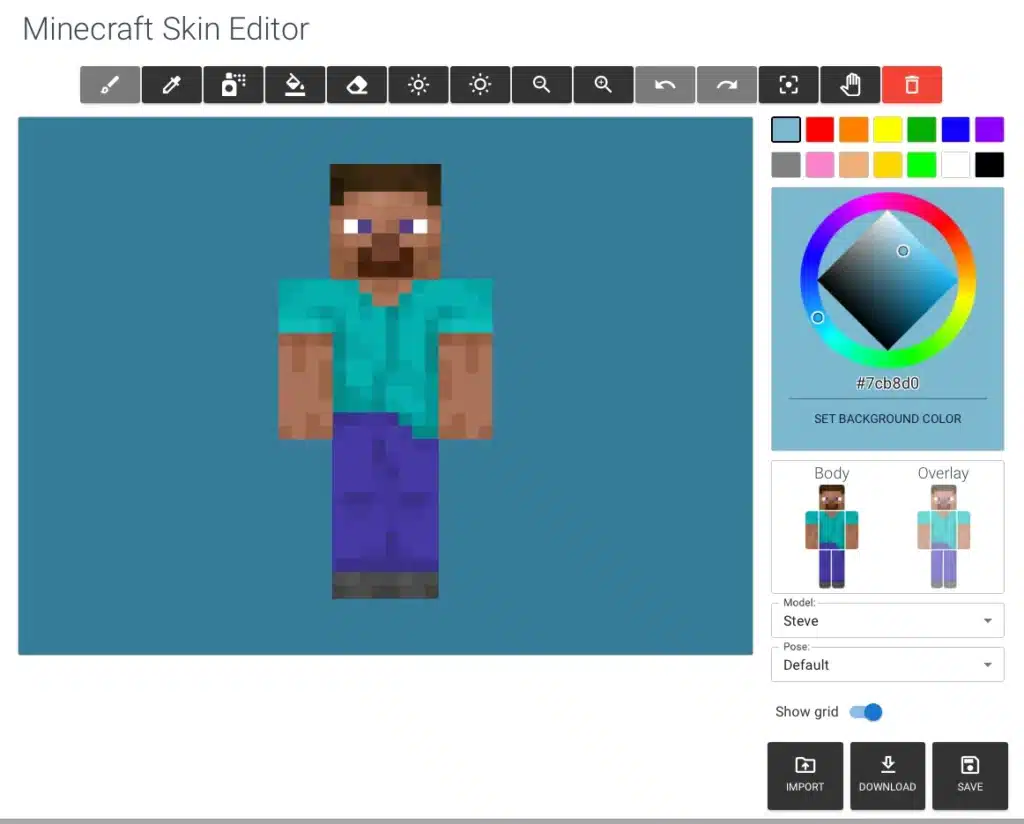
3. Skin Editors : Skin editors are used to design and customize your character’s appearance. You can edit small details and create a unique look for your in-game avatar.
4. Modding Tools : These tools help you create new content such as items, blocks, and mobs. Many modding tools are beginner-friendly and do not require coding knowledge.
5. Command & Function Editors : These editors make it easier to create advanced commands. You can use them to design mini-games, custom maps, and automated events without writing complex code manually.
6. Resource Pack Editors : Resource pack editors allow you to change textures, sounds, fonts, and other visual elements. They are perfect for giving your game a completely new style.
Popular Minecraft Editor Tools
- WorldEdit – Fast in-game building and editing
- MCEdit – External world editing tool
- Amulet Editor – Updated editor for modern versions
- MCSkin3D – Desktop tool for 3D skin creation
- Skindex – Online skin editor
- NBTExplorer – Edit game data (Java Edition)
- Universal Minecraft Editor – Advanced data editing
- MCreator – Create mods without coding
- Blockbench – Design custom models and items
- MCStacker – Generate commands easily
- Bridge – Build behavior packs for Bedrock Edition
How to Use Minecraft Editors
1. Select the Right Tool : Choose an editor based on your needs. For example, use a world editor for building or a skin editor for character customization.
2. Install or Access Online : Some tools work directly in your browser, while others require downloading.
3. Backup Your World : Always save a copy of your game before making changes to avoid losing progress.
4. Open Your Files : Load your Minecraft world, skin, or resource files into the editor.
5. Make Changes : Use the editor’s features to modify terrain, textures, commands, or other elements.
6. Save and Test : After editing, save your work and open Minecraft to check the results.
Why Use Minecraft Editors?
- Save time by editing large areas quickly
- Add new content like items, mobs, and blocks
- Create custom maps and share them with others
- Improve and experiment with game mechanics
Conclusion
Minecraft editors are powerful tools that expand what you can do in the game. Whether you want to edit your world, design skins, or create mods, these tools give you the freedom to customize everything.
By using the right editor, you can transform your Minecraft experience into something more creative and advanced.
FAQs – Frequently Asked Questions
Can I use Minecraft editors without installing them?
Yes, many editors are available online and can be used directly in your browser.
Do these editors work on all Minecraft versions?
Most tools support both Java and Bedrock editions, though some are version-specific.
Is coding required to use Minecraft editors?
No, many tools are designed for beginners and allow editing without any programming knowledge.


jygdfvuifdhikds