Best Minecraft Shaders for Realistic Graphics (2026 Guide)
Introduction
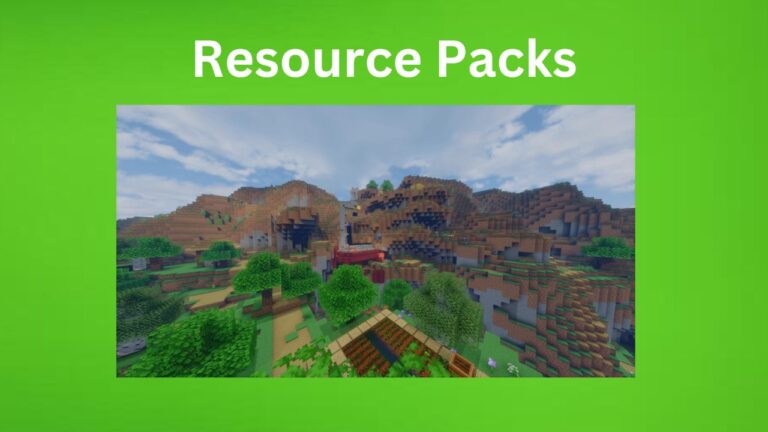
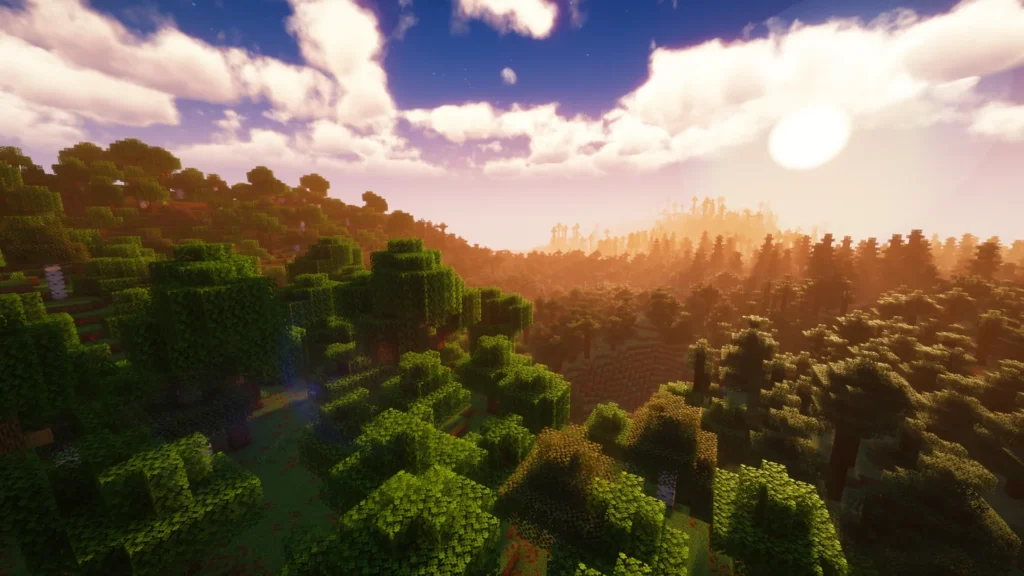
In Minecraft, the visual style is simple by default, but shaders can completely transform how the game looks. They upgrade lighting, shadows, water effects, and atmosphere, turning a blocky world into something far more realistic and cinematic.
This guide covers some of the best shader packs you can use to improve graphics and enjoy a more immersive gameplay experience, Best Minecraft Shaders for Realistic Graphics.
What Do Shaders Do in Minecraft?
Shaders are visual enhancement packs that change the way light and environment behave in the game. Instead of basic graphics, they add a more natural and realistic feel.
They improve things like:
- Sunlight and shadow movement
- Water reflections and waves
- Sky color and cloud detail
- Torch and glow effects
- Weather and fog realism
Although gameplay stays the same, the visual experience becomes much richer.
Top Shaders for Realistic Minecraft Graphics
1. SEUS Shader Pack
SEUS is known for its highly realistic look and smooth lighting effects. It is designed to make Minecraft feel more like a real-world environment.
Highlights:
- Natural and soft lighting
- Realistic water reflections
- High-quality shadow detail
- Cinematic visual style
Perfect for players who want a lifelike gaming experience.
2. BSL Shader Pack
BSL is one of the most balanced shader packs, offering great visuals without putting too much load on your system.
Highlights:
- Bright and smooth lighting effects
- Clean water animations
- Beautiful sky and cloud design
- Adjustable graphics settings
Great choice for both low and mid-range PCs.
3. Complementary Shaders
This shader pack focuses on smooth performance with improved visuals, making it ideal for long gameplay sessions.
Highlights:
- Soft lighting transitions
- Realistic fog and atmosphere
- Improved water movement
- Optimized performance
Best for survival mode players.
4. Sildur’s Shaders
Sildur’s Shaders are popular because they offer different versions for different device strengths, from low-end to high-end systems.
Highlights:
- Vibrant and colorful world appearance
- Enhanced lighting and reflections
- Smooth motion effects
- Multiple performance options
Suitable for almost every type of player.
5. Chocapic13 Shaders
Chocapic13 offers a highly customizable shader experience with various quality settings.
Highlights:
- Advanced lighting system
- Realistic sunset and sky effects
- Dynamic shadows
- Flexible performance modes
Good for users who like full control over graphics, Best Minecraft Shaders for Realistic Graphics.
How to Install Shaders in Minecraft
To use shaders in Minecraft, follow these steps:
- Install OptiFine or a shader-compatible mod
- Download your selected shader pack
- Open Minecraft and go to settings
- Enter “Video Settings” → “Shaders”
- Load your shader file
- Activate and enjoy improved visuals
Useful Tips for Smooth Gameplay
- Lower shader settings if your PC lags
- Close background applications
- Adjust render distance for better performance
- Use performance-friendly shader versions if needed
Conclusion of Best Minecraft Shaders for Realistic Graphics
Shaders are one of the best ways to upgrade the visual quality of Minecraft without changing its core gameplay. Whether you prefer ultra-realistic lighting or colorful vibrant effects, there is a shader pack for every type of player.
With the right choice, your Minecraft world can look far more detailed, immersive, and visually stunning than ever before.